Windows: How to Load Videos and Enable Subtitles in VLC Media Player
How to Load Videos and Enable Subtitles in VLC Media Player
This guide covers:
The steps involved in selecting and playing video files (episodes) loaded from a USB Flash Drive using VLC Media Player on a Windows laptop or computer.
How to select and change subtitles. What you will need:
VLC Media Player for Windows. If not installed, please download and install it from here:
A Windows laptop or computer with a free USB port.
Please perform the steps below:
Connect the USB Flash Drive to the USB port of the Windows laptop or computer.
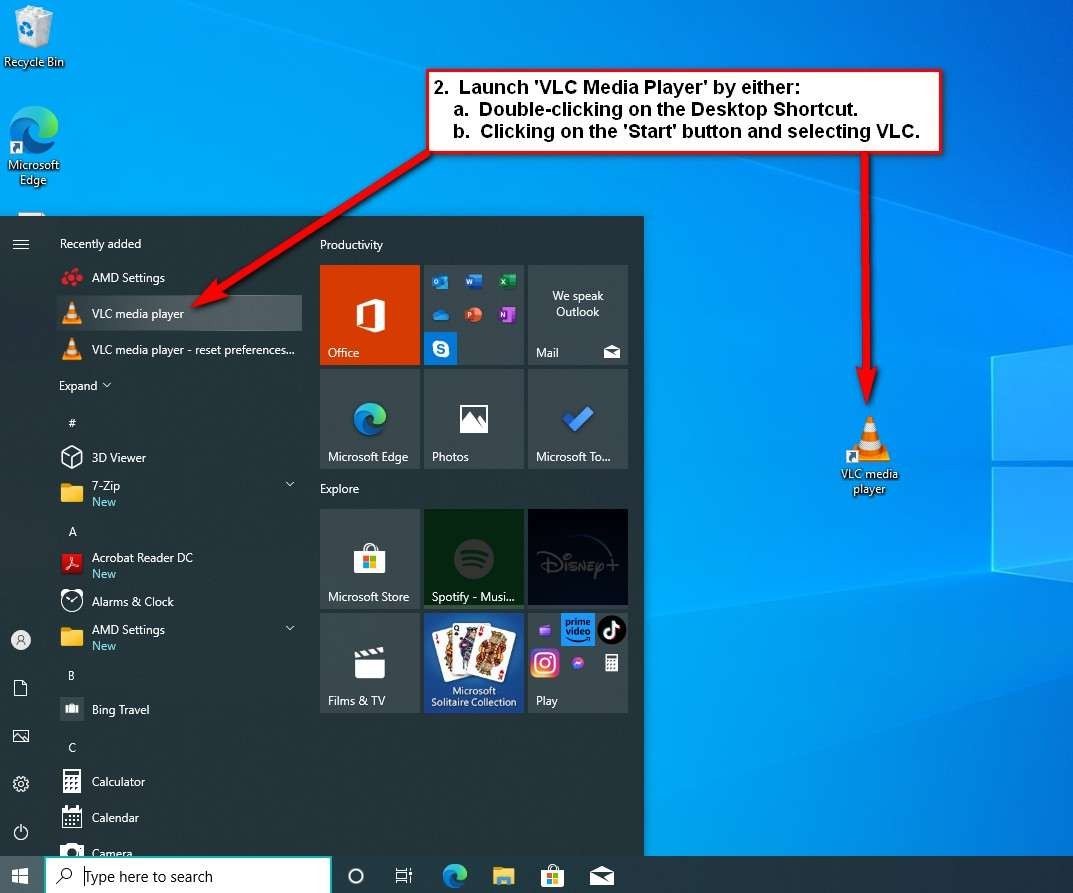
Launch VLC Media Player via:
Double-clicking on the Desktop Shortcut, or
Clicking on the ‘Start’ button and selecting ‘VLC media player’ from the list.
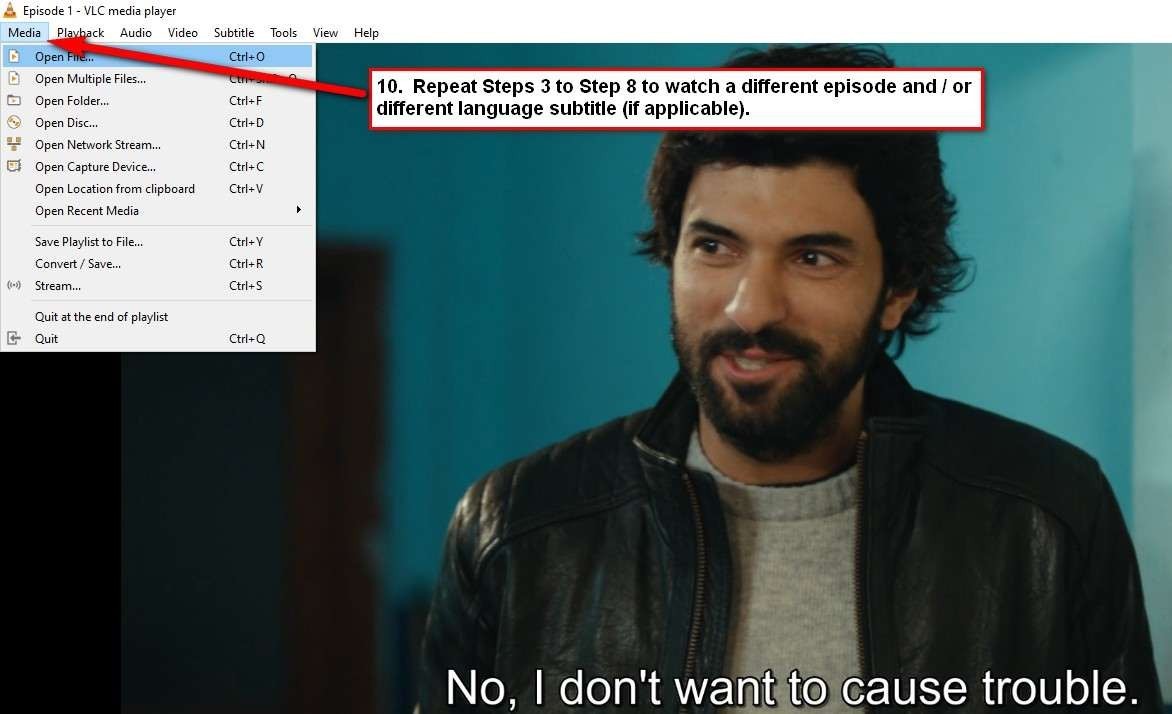
3. In VLC Media Player, click on
‘Media’ >
‘Open File…’
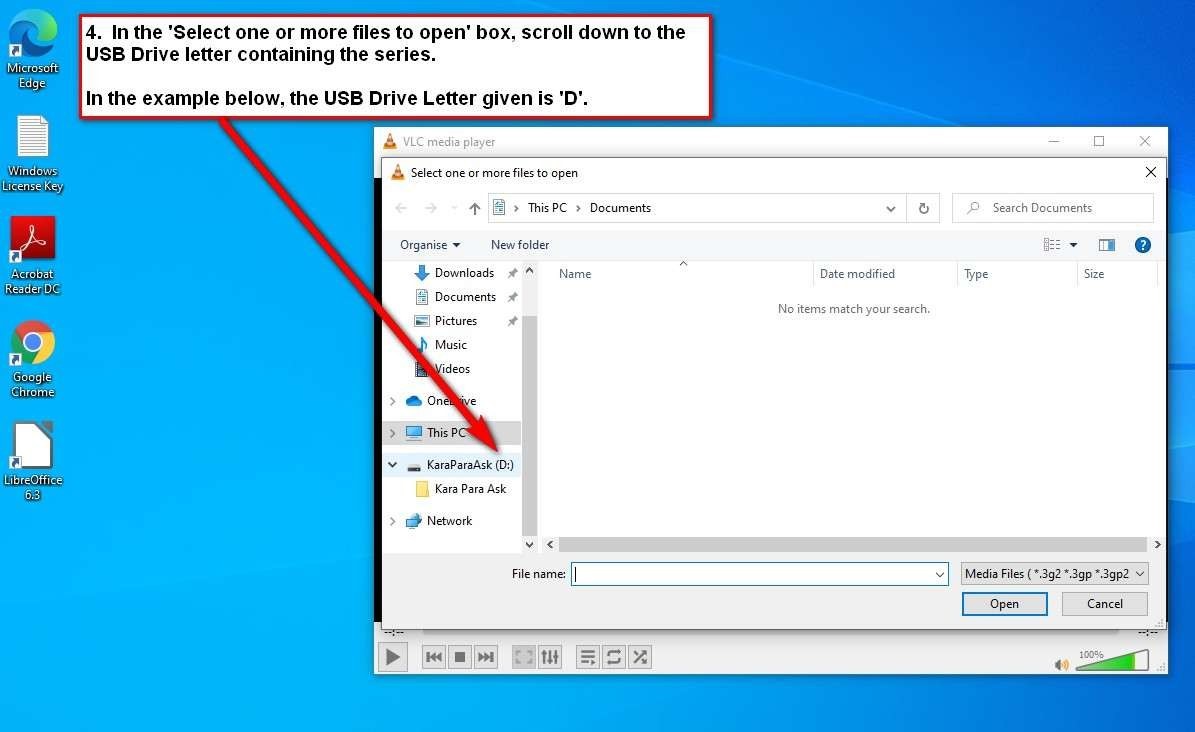
4. In the ‘Select one or more files to open’ box, scroll down to the USB Drive letter containing the series.
Note: In the example below, the USB Drive Letter given is ‘D’
5. Select the Folder, and then on ‘Open’.
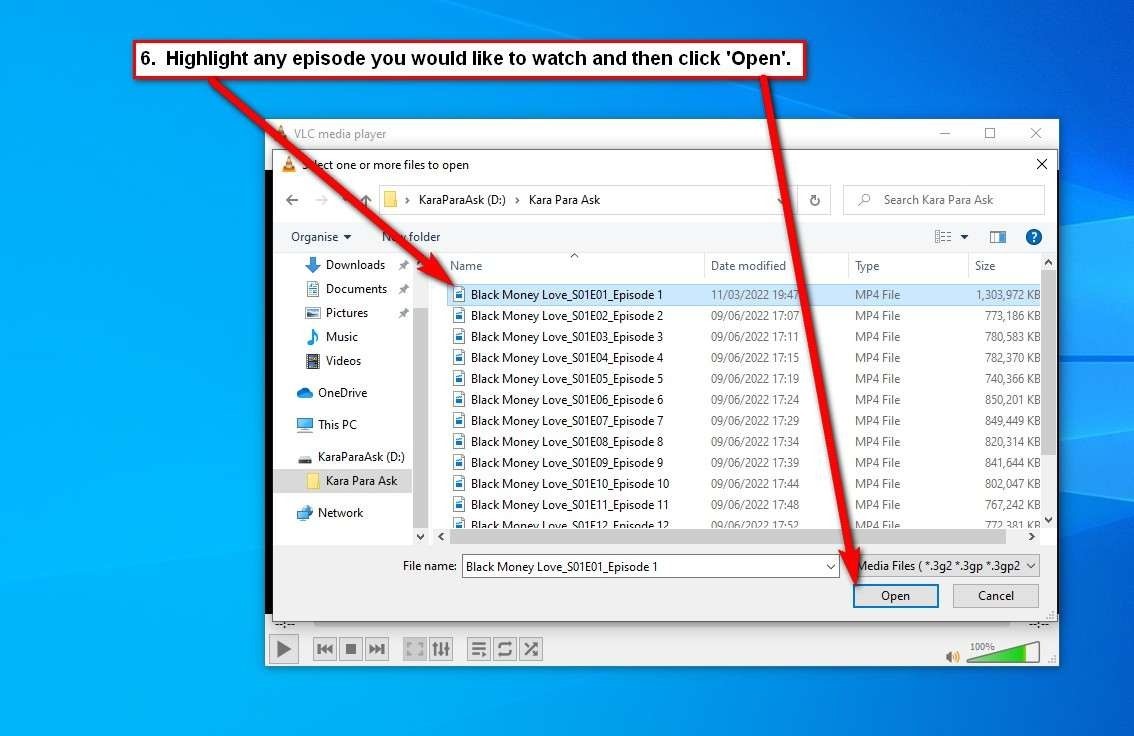
6. Highlight any episode you would like to watch and then click ‘Open’.
7. The video begins to play with
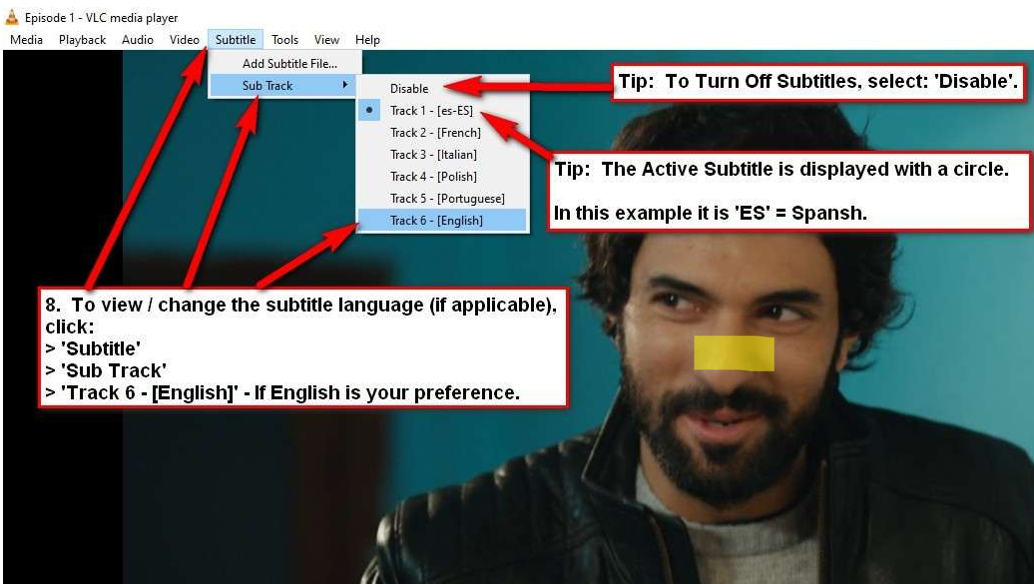
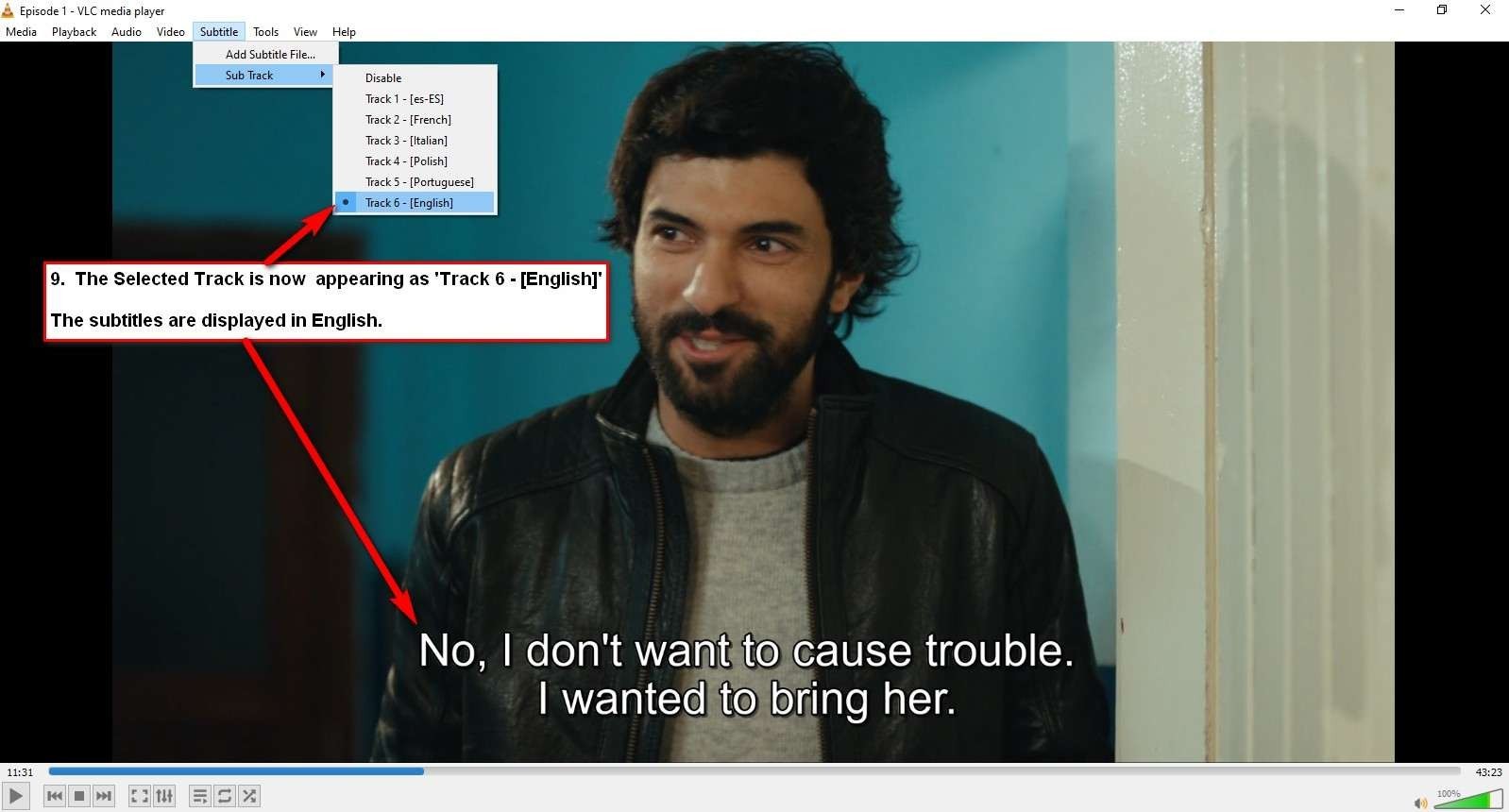
8. To view / change the subtitle language (if applicable), click ‘Subtitle’ > ‘Sub Track’ > ‘Track 6 – [English]’.
9. The selected track is now appearing as ‘Track 6 – [English]’. The captions are displaying in
10. Repeat Steps 3 to Step 8 to watch a different episode and / or different subtitle language (if applicable).